REVIEW · LOS ANGELES
Virtual Reality (VR) Experience in Los Angeles
Book on Viator →Operated by Los Virtuality - Virtual Reality Gaming Center · Bookable on Viator
VR feels like sci-fi for real.
This Los Angeles stop is basically a choose-your-own-adventure arcade: you walk in, put on the headset, and get teleported into games that range from VR laser tag to escape rooms, zombie shooters, sports, and rollercoasters. Two things I really like are the free parking (no stressful search) and the sheer choice of 50+ VR games so you’re not stuck doing the same thing for the whole hour. One possible drawback to plan for: if you’re brand-new to VR, you may need patience and clear guidance, and the experience can feel frustrating when controllers or button layouts don’t click right away.
At $45 per person for about an hour, the value depends on how well you use that time. The good news is it’s an unlimited game setup with no surprise add-ons while you’re playing, plus you’re allowed to bring your own food and drinks. Bookings are commonly made around 5 days in advance, so lock in a slot if you’re traveling in a busy window.
You’re also not dealing with a huge crowd. With a maximum of 10 travelers, the session stays manageable, and the venue says it uses professional equipment designed for safety inside the play area.
In This Review
- Key highlights worth knowing
- What You Really Get in This 1-Hour Los Angeles VR Session
- Arriving on Santa Monica Blvd Without the Parking Headache
- The Game Menu: How to Choose From 50+ Options in Limited Time
- The “Put On the Headset” Flow and What Happens During Setup
- Snacks, Fun Energy, and Why the Group Atmosphere Matters
- Value Check: Is $45 for VR Worth It?
- What Can Go Wrong: Guidance and Controller Glitches
- Who This VR Center Is Best For (and Who Might Want a Different Plan)
- Should You Book Los Virtuality in Los Angeles?
- FAQ
- How much does the VR experience cost in Los Angeles?
- About how long is the experience?
- Is the VR time unlimited once you start?
- What games can you choose from?
- Where is the meeting point?
- What are the opening hours?
- Can you bring your own food and drinks?
- Is there free parking?
- What’s the group size limit?
- Is free cancellation available?
Key highlights worth knowing
- Free parking included so you can arrive without circling.
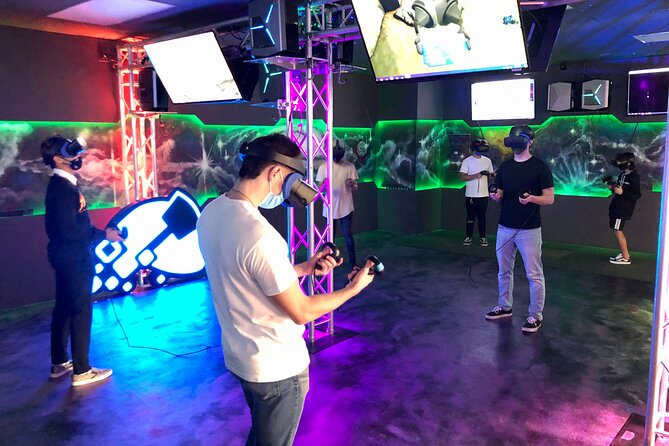
- Unlimited VR games during your session with no extra charges along the way.
- 50+ game selection across action, puzzles, sports, and rollercoaster-style rides.
- Bring your own food and drinks if you want to snack your way through.
- Small groups (up to 10) help the whole session feel less chaotic—if you ask questions early.
What You Really Get in This 1-Hour Los Angeles VR Session
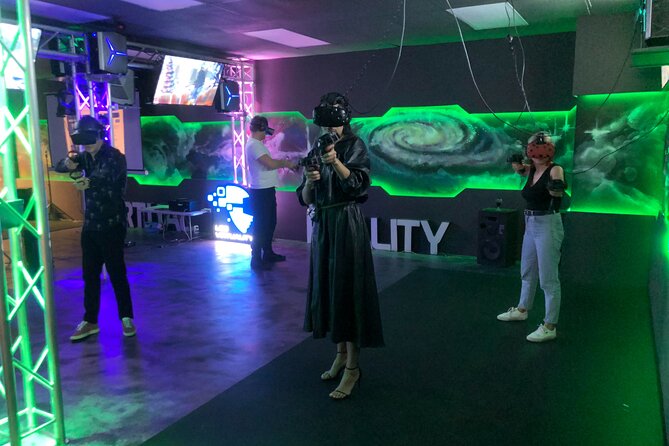
Think of this as a structured VR arcade experience, not a single fixed game. The plan is simple: you check in, get suited up with professional VR equipment, and then spend your time switching between different experiences from the big menu.
The venue’s promise is about “best immersive VR experience” without you having to invest in expensive gear. In practice, that means you’re relying on their setup: professional equipment for your playing field and powerful computers to keep the visuals looking crisp. You also get a safety-focused environment, which matters because some of these games can make you move more than you expect.
You’ll likely spend the hour doing a couple different titles rather than chasing one long storyline. That’s a big deal for first-timers and casual players, because it helps you find what works for your comfort level fast. It also means you can adapt if something feels too intense or if controls take a minute to learn.
Bottom line: the experience is designed to give you variety in a short window, and the unlimited model is what makes that practical.
You can also read our reviews of more tours and experiences in Los Angeles.



Arriving on Santa Monica Blvd Without the Parking Headache
The meeting point is 11901 Santa Monica Blvd, Los Angeles, CA 90025. The activity ends back at the same spot, so you’re not dealing with transportation logistics after your session—good for families and groups.
Parking is one of the underrated wins here. Free parking is included, which is a real relief in LA where even “quick stops” can become a scavenger hunt.
If you’re coming by transit, the venue is listed as near public transportation. That’s useful if you’re pairing this with other Westside plans and don’t want to budget time for rides or driving around.
Timing-wise, opening hours are listed for Monday–Thursday, 12:00 PM to 9:00 PM (valid within the date range shown). If you’re going outside those days, you’ll want to double-check availability when you book.
The Game Menu: How to Choose From 50+ Options in Limited Time

The big selling point is choice, and the categories give you a clear way to decide what fits your group:
- VR Laser Tag: Great if you want competitive energy and fast feedback.
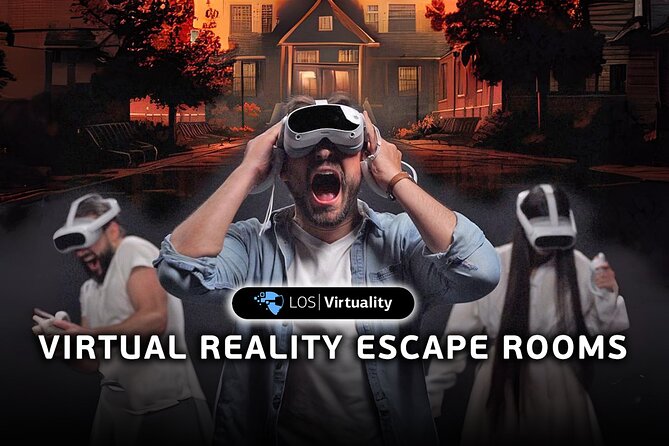
- VR Escape Rooms: Better if you like problem-solving and calmer pacing.
- Zombie shooters: For action folks who want intensity and quick bursts.
- Sports Games: A good match if you want movement without the fear-factor.
- VR Rollercoasters: A crowd-pleaser when people want the thrill and the spectacle.
- Plus more categories beyond those.
In an hour, your strategy should be about motion and comfort. If you’ve got a first-timer in your party, start with something more straightforward—something where you’re not learning complicated control combos and story logic at the same time. Then move up to the more intense experiences after your group has a feel for the headsets and controllers.
If you’re traveling with different skill levels, this approach is also how you keep everyone happier. One person might love action; another might prefer the escape-room vibe. The unlimited setup means you can rotate choices as you go, instead of forcing one “everyone must do this” plan.
Also pay attention to how the games differ in control layout. One downside from the negative experiences: some games use different controller buttons, and that can cause exits or restart loops if you press the wrong button. The best fix is simple—ask what button does what before you start, especially if you’re new.
The “Put On the Headset” Flow and What Happens During Setup
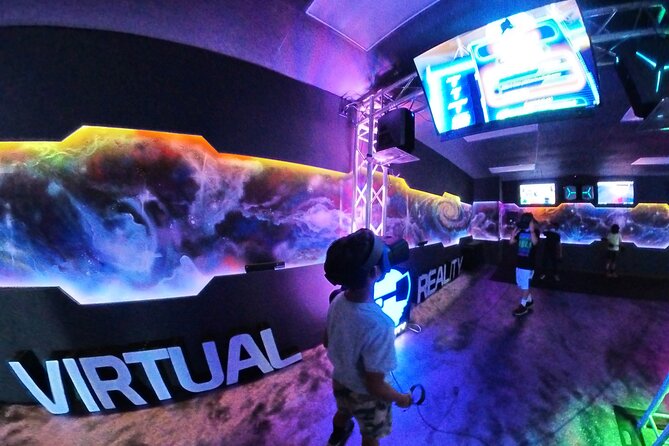
The moment you put on the headset, the venue says you’ll be teleported to a different world. That jump is the whole point, and it’s why this works even for people who don’t consider themselves gamers.
Setup is where the experience either feels smooth or turns stressful. Since VR controls can vary from game to game, the early guidance matters. The venue notes safety and professional equipment, and that’s important for comfort in a play space that expects you to move.
What I’d do if you want a smooth start:
- Take a second to adjust the headset before you commit to a game.
- Get clear on controller basics for the first title you choose.
- If you’re confused, stop and ask right away, not after 10 minutes of frustration.
A useful detail from the negative side: when people weren’t fully guided, it took too long to figure out controls, and that killed the fun—especially for a surprise visit. If you’re planning something for a birthday or a special night, build in time to learn the basics.
Your hour is short. So treat the setup like a quick briefing that protects your best moments later.
Snacks, Fun Energy, and Why the Group Atmosphere Matters
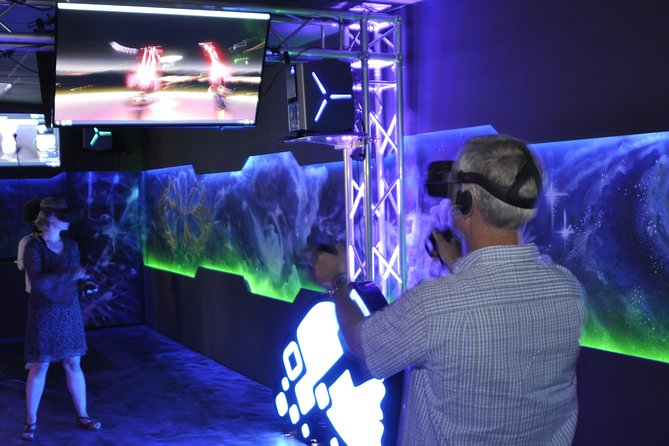
This is one of the easiest “group activity” ideas in LA because it doesn’t require you to coordinate a whole itinerary. You can bring your own food and drinks, and there are no charges while you’re playing the unlimited game selection.
That small “bring your own snacks” rule can matter more than you’d think. If your group needs a break to cool down, a quick snack can reset moods. It also helps families—especially kids—stay energized without hunting for food nearby.
There’s another social angle too. One of the best parts, based on the type of fun people describe, is that you’ll hear the reactions. You’ll likely catch scared screams, laughs, and giggles as people try different experiences. That kind of shared energy helps make VR less isolating and more like a comedy night with headsets.
Still, if you’re going with a shy group, keep in mind that some games are intense. Zombie shooters and some rollercoaster-style experiences can cause strong reactions. That’s normal. The key is choosing games that fit your group’s comfort level so the loud moments are fun, not stressful.






Value Check: Is $45 for VR Worth It?
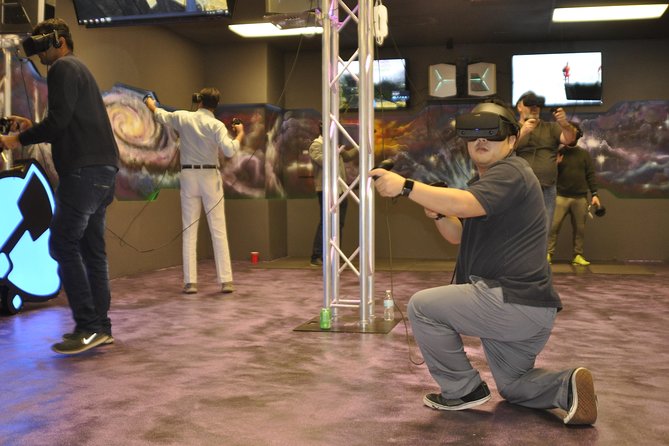
Let’s do the practical math in plain terms.
You pay $45 per person for about 1 hour, and the experience is unlimited during that time. So the value isn’t about whether there’s one perfect game—it’s about whether you can sample enough variety to justify the price.
This is where you can win big:
- If your group tries multiple categories in the hour, you get a lot of content for one flat price.
- If you’re with people who want different things (action + puzzles + sports), the menu makes it easy.
- If you arrive ready to ask questions during setup, you avoid wasting time on confusion.
It’s also why some people may feel it’s not worth it. The negative experiences point to a common issue: when staff attention is uneven, or when first-time players aren’t shown how to use the controls, the hour can feel like it disappears. Even the cool visuals don’t fix that if you spend most of the session restarting games or giving up.
My advice for getting your money’s worth: be proactive early. Ask how to start, how to switch games, and what to do if the controller behavior is weird. Small clarity at the start saves a lot of wasted minutes later.
What Can Go Wrong: Guidance and Controller Glitches
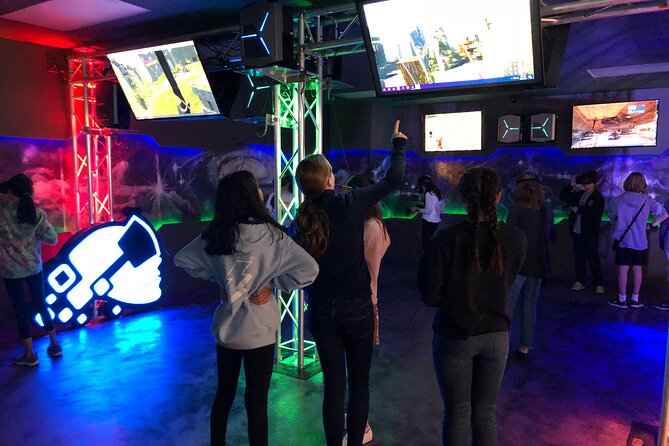
No one wants to think about problems on vacation. But VR is technical by nature, and the negative feedback gives you a few heads-up.
Here are the main trouble themes:
- Not enough guidance for first-time users: one unhappy experience described needing to figure it out alone, with confusion about controls.
- Different button layouts per game: if you press the wrong buttons, games can exit or restart.
- Controller issues: another negative report mentioned left controllers acting up and staff suggesting raising the left arm to fix it, but it kept happening.
So what should you do?
- If you’re new, ask for a quick walkthrough before starting your first game.
- If controllers act up, don’t power through. Stop, notify staff, and wait for a fix.
- If you’re on a time-sensitive plan (surprise trip, short evening), arrive a little early so setup doesn’t steal your first minutes.
Also, VR comfort varies. If someone feels unsteady or overwhelmed, switch to a calmer category like escape-room style gameplay. You can keep the fun going without forcing intensity.
The goal is to protect your experience from preventable learning friction.
Who This VR Center Is Best For (and Who Might Want a Different Plan)
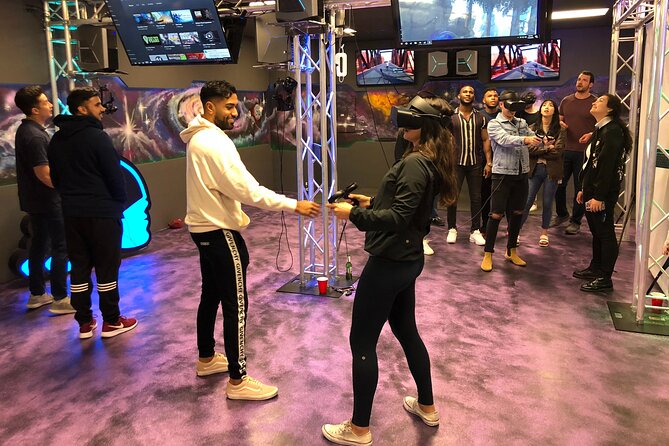
This one is a strong fit for:
- Families looking for something fun that keeps kids and adults engaged.
- Couples who want a shared activity with lots of laughs.
- Small groups (up to 10 travelers) who want variety without planning multiple stops.
- People who aren’t ready to buy VR gear and just want the experience for a reasonable price.
It also sounds friendly to different comfort levels because the menu spans action, puzzles, sports, and rides. That’s useful if one person likes adrenaline and another likes problem-solving.
You should consider a different plan if:
- Your group hates any sort of learning curve.
- You’re expecting a long, guided “tour” of VR storylines.
- You’re very sensitive to technical issues and don’t want to troubleshoot even a little.
If you have someone with a service animal, service animals are allowed. The venue is also listed as near public transportation, which can help if you’re building this into a larger LA day.
Should You Book Los Virtuality in Los Angeles?
If you want an hour of playful variety, this is an easy yes for many groups. The combo of free parking, 50+ game options, and an unlimited game format for a flat $45 per person is exactly how you get value in a short window.
I’d book it if:
- You have a group that will actually sample multiple categories.
- You’re okay asking staff questions early to get past the first-time VR learning curve.
- You want a fun, social activity where people react and laugh together.
I’d think twice if:
- You’re counting on perfect staff attention every minute and no learning friction at all.
- Your group includes first-timers who get easily frustrated without a step-by-step tutorial.
- Your schedule is extremely tight and you can’t afford restarts if a controller hiccups.
If you do go, arrive ready to communicate. That’s the difference between an hour you remember and an hour that slips away.
FAQ
How much does the VR experience cost in Los Angeles?
It’s listed at $45.00 per person.
About how long is the experience?
Plan on about 1 hour.
Is the VR time unlimited once you start?
Yes. It’s described as an unlimited game experience with no charges along the way.
What games can you choose from?
You can pick from over 50 virtual reality games. The most popular categories listed include VR Laser Tag, VR Escape Rooms, zombie shooters, sports games, VR rollercoasters, and more.
Where is the meeting point?
The meeting point is 11901 Santa Monica Blvd, Los Angeles, CA 90025, USA.
What are the opening hours?
Opening hours are listed for Monday through Thursday from 12:00 PM to 9:00 PM (within the date range shown).
Can you bring your own food and drinks?
Yes. The experience is flexible, and you’re allowed to bring your own food and drinks.
Is there free parking?
Yes. Free parking is included.
What’s the group size limit?
The activity has a maximum of 10 travelers.
Is free cancellation available?
Yes. You can cancel up to 24 hours in advance for a full refund. If you cancel less than 24 hours before the start time, the amount is not refunded.